Read less
Turn emails into tasks: suggested actions and To Do
Let the AI pick out what you need to do, with due dates, check the wording, and add it to To Do in one click. Syncs with Microsoft To Do and Outlook Tasks.
Most emails boil down to one or two things someone wants from you. emailbudAI finds them and turns them into tasks you can tick off.
Suggested actions
Select an email and click Recommend actions. The AI lists what you probably need to do, for example “Reply to Sam approving or rejecting the 300 mm offset”, with a priority, the reason and a due date when the email mentions one (“by Monday”). Things that are someone else's job become “follow up with them” at most.
Tick Suggest actions automatically when I open an email and you won't need to click.
Check, edit, add
Click Add to To Do. Before anything is added, you can put each task in your own words:
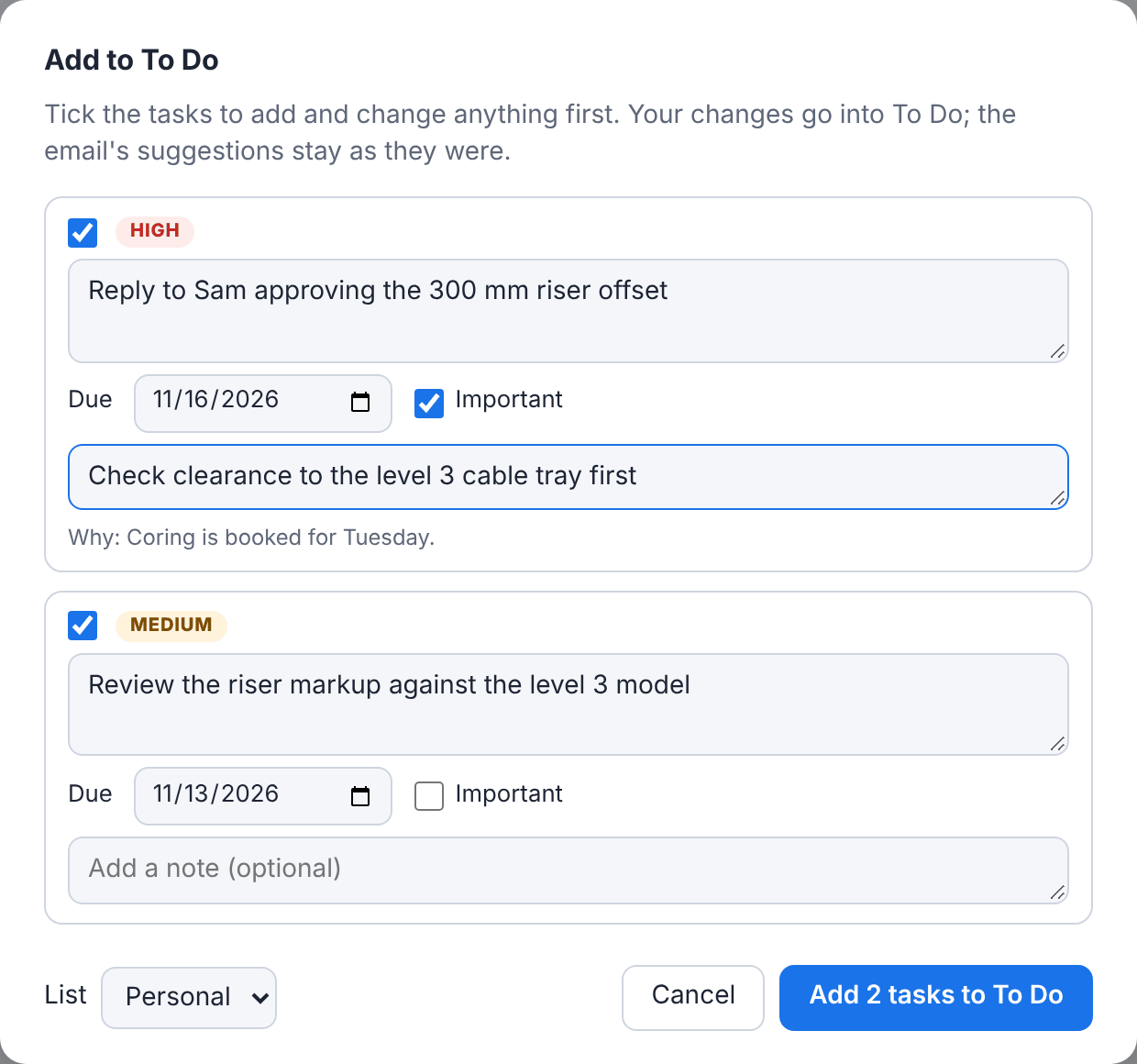
- Untick any you don't want; the button counts the rest.
- Change the wording, due date or Important, and add a note.
- Pick the list and click Add. Editing never makes a duplicate.
- A task already in To Do shows In To Do: change it and click Update in To Do.
The To Do tab
Click To Do at the top. It works like Microsoft To Do: your lists plus My Day, Important and Planned. Tasks are grouped by project, and every task made from an email links back to it.
To keep your tasks in step with the rest of your day, link a list to Microsoft To Do (any Microsoft account, including new Outlook) or Outlook Tasks in classic Outlook, then click Sync.